Sensor Switch and PCB
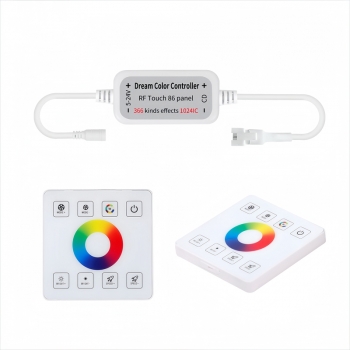
- Product Details
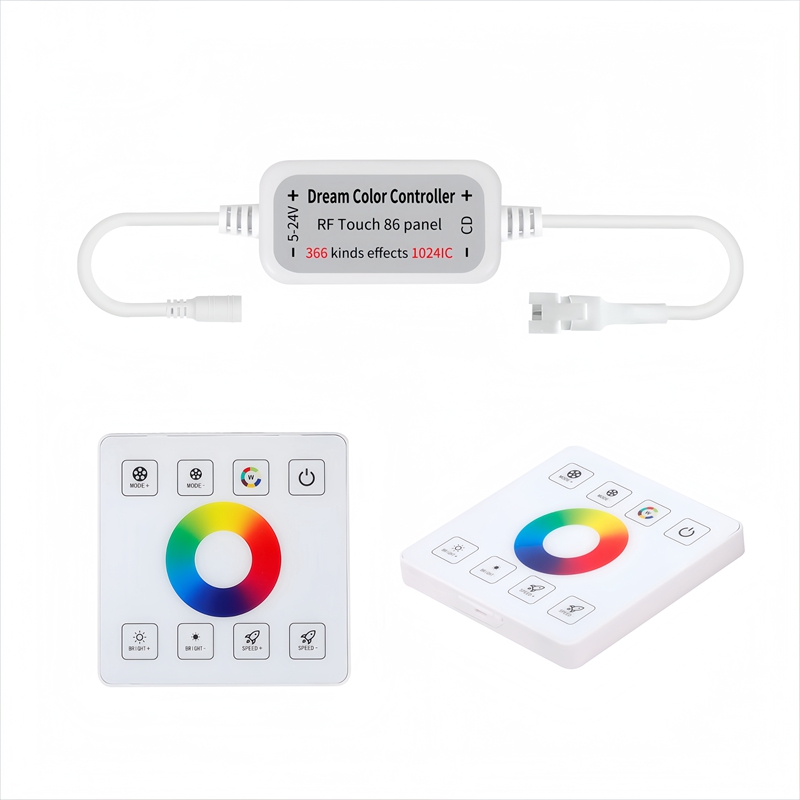
1. Product features:
1. Working voltage: DC5-24V
2. Control points: Up to 1024 pixels can be controlled
3. Remote control distance:15 meters(equipped with 86 box base)
4. Battery model:CR2025button cell
5. Effect mode:366 lighting effects
6. Product size:L43*W22*H11mm
2. Remote control function description:
1. Mode+/-:366 modes can be switched, and each mode can adjust brightness and speed.
2. Static color:14 static mode loop switching.
3. Brightness+/-:10 levells.
4. Speed+/-:10 levels.
5. Press and hold the slatic color button for more than 5 seconds to automatically play,
3. Point adjustment:
In the shutdown state, press and hold the Wbutton and the light will light up to enter the setting state. At this time, press MODE+ slow adjustment to increase the number of points, press BRIGHT+ fast adjustment to increase the number of points, press MODE- slow adjustment to decrease
the number of points, and press BRIGHT fast adjustment to decrease the number of points.
After adjustment, press the switch to save.
4. Line sequence adjustment!
In the shutdown state, long press the W button and the light will light up to enter the setting
state. At this time, press SPEED+ and SPEED- to adjust the wire sequence from front to back, displaying R(red), G(green), B(blue)as the correct wire sequence. After adjustment, press the ON key to save.
5. Product code checking and clearance instructions:
Code matching (one- on- one control): Press and hold the on button for 5 seconds after the controller is powered on, and the light bar will slowly flash 3 times.
Clear code (one to many control): Press and hold the on button for 5seconds after the
controller is powered on, and the light bar will flash 3times quickly.
6. wiring diagram:
Basic Parameters:
1. Working Voltage: DC12-24V
2. Number of control points: maximum can control 2048 pixels
3. Remote control distance:15 meters
4. Battery model: CR2025(product included 1 pc)
5. Effect mode:20 modes
IC Set: Press IC Set button to enter the IC set mode. Press " " to increase IC, Press " " to decrease IC. press and hold to fast adjust. After the adjustment, press the " power on/ off button" to save and exit.The default is 80 pixels, and the maximum can adjust to 2048 pixels.
Dimming circle: stepless dimming
Speed: Speed+ and speed-, 10 steps. press and hold to fast adjust
Mode List
1. Turn on the lights and the water is always on, turn off the lights and light back flow & turn off the lights
2. Turn on the lights and the water is always on, turn off the lights and light flow forth & turn off the
lights
3. The water flowing from the two ends to the middle is always on, and the lights are turned off and the water flows back to the two ends.
4. The water flowing from the middle to the two ends is always on, and the two ends of the light are turned off to return to the middle
5. Turn on the light and the flowing water is always on (with breathing gradient), turn off the
back flow and turn off the light
6. Circulation mode: turn on the lights and 5 IC meteors trail, turn off the lights and turn off the lights
7. Circulation mode: turn on the lights and flow water, 7 ICs trailing water at both ends, turn off
the lights and return to turn off the lights
8. Cycle mode: turn on the lights and run the water,2 ICs chase the horse, turn off the lights and turn off the lights
9. Cycle mode: turn on the lights and run water with 5 ICs chasing the horse, turn off the lights
and return to turn off the lights
10. Cycle mode: turn on the lights, 1 IC marquee +4 IC meteors trailing, turn off the lights and
return to turn off the lights
11. Cycle mode: turn on the lights, 9 IC meteors are piled up, and the water trailing effect
12. Cycle mode: turn on the light and fade once, 9 IC meteors are piled up, and the water trailing
effect
13. Circulation mode: turn on the light and flow water from both ends to the middle
14. Circulation mode: water flowing from the middle of the light to both ends
15. Circulation mode: turn on the light and flow water from both ends to the middle, and turn
off the light from the middle to both ends
16. Circulation mode: turn on the light, the water flows to the two ends, and the two ends go to the middle to turn off the light
17. Circulation mode; turn on the light and flow forward
18. Circulation mode: turn on the lights and return the flowing water
19. Circulation mode: turn on the light to flow the water forward, and flow the water back
20. Circulation mode: turn on the light and flow forward, turn off the lights in the downstream, flow back and turn off the lights
Code matching and code clearing
Code matching: Long press the " " button within 5 seconds after the controller is powered on,
the light flashes 3 times slowly.
Code clearing: Long press the " " button within 5 seconds after the controller is powered on,
the light flashes 3 times quickly.
To get in touch with us, Please feel free to email us at GM@fitledchina.com or leave your contact information here, we will reply you within 24 hours. Thank you.